> ## Documentation Index
> Fetch the complete documentation index at: https://moengage-docs-mcp-segmentation-tool-belt.mintlify.site/llms.txt
> Use this file to discover all available pages before exploring further.
# How to Avoid Push Template Issues in iOS Push Notifications (SDK version 9.x.x) When Notification Content Extension is Not Implemented?
> Fix iOS push template issues (carousel, colors, fonts) on SDK 9.x.x by setting up a Notification Content Extension in your MoEngage iOS project.
## Problem
Push templates (carousel images, background color, font color, and so on) do not display correctly in Push notifications when the Notification Content Extension is not implemented.
## Instruction
Perform the following steps:
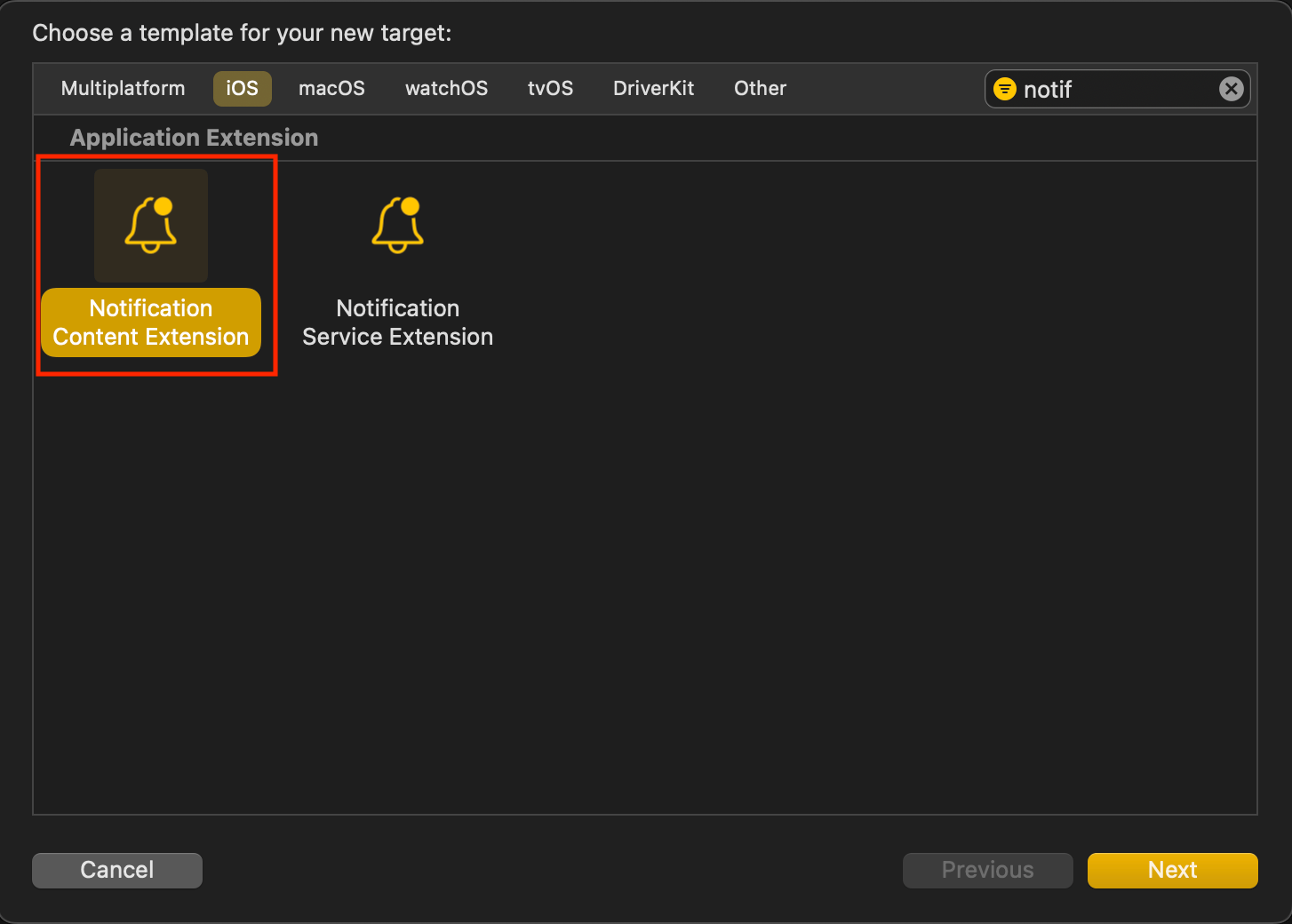
1. Create a Notification Content Extension Target.
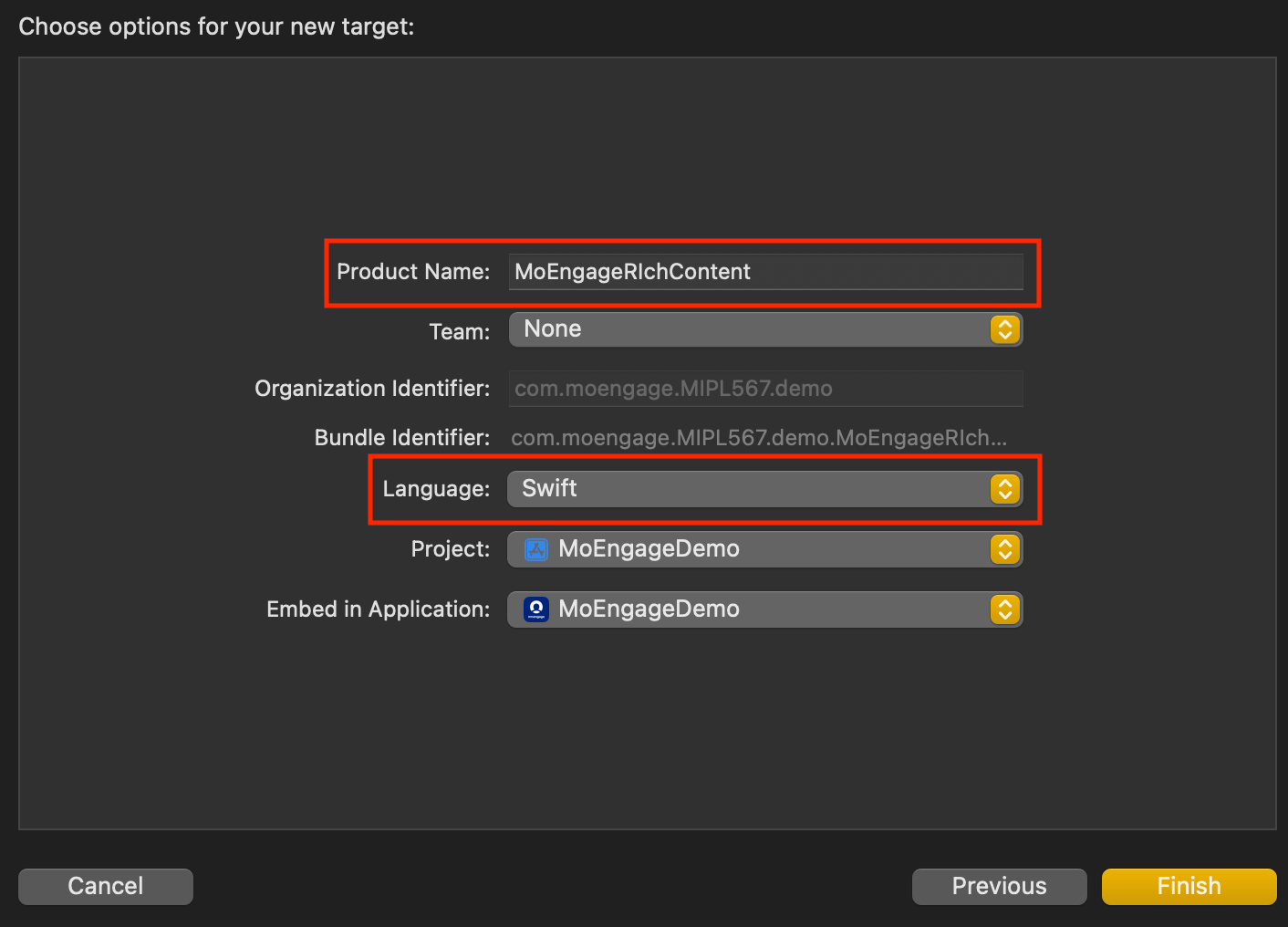
 * *Name the Extension Target.* Choose a name for the extension target. **Swift** is recommended as the language as it works seamlessly with Objective-C projects too.
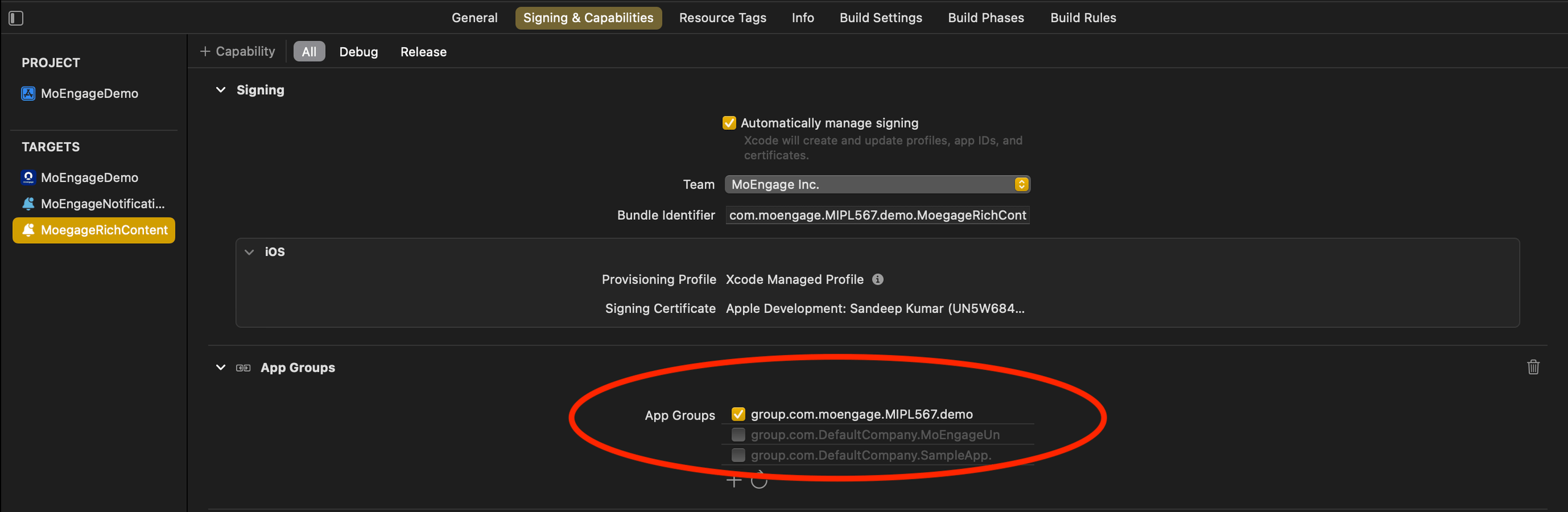
  * Add the **AppGroupId** to the Notification Content Extension’s **Signing & Capabilities** settings.
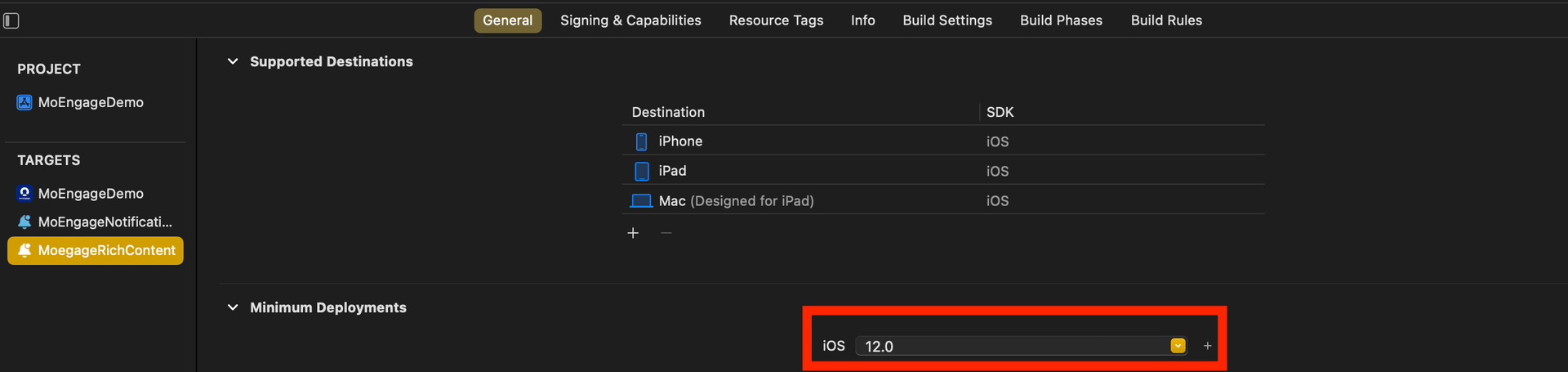
 * Set the minimum deployment iOS version of the Notification Content Extension to match the main app’s iOS version.
 2. *Integrate the MORichNotification Framework into the Notification Content Extension Target.*
* In your podfile, add the Notification Content Extension as a separate target and install the **MORichNotification** framework.
```swift Swift theme={null}
target 'MoEngageDemo' do
use\_frameworks!
pod 'MoEngage-iOS-SDK'
end
target 'MoEngageNotificationService' do
use\_frameworks! #use use\_frameworks only if included in main target as in above scenario
pod 'MoEngageRichNotification'
end
target 'MoegageRichContent" do
use\_frameworks! #use use\_frameworks only if included in main target as in above scenario
pod 'MoEngageRichNotification'
end
```
3. Code changes in **NotificationViewController.swift** file.
```swift Swift theme={null}
import UIKit
import UserNotifications
import UserNotificationsUI
import MoEngageRichNotification
class NotificationViewController: UIViewController, UNNotificationContentExtension {
@IBOutlet var label: UILabel?
override func viewDidLoad() {
super.viewDidLoad()
MoEngageSDKRichNotification.setAppGroupID("group.com.XXXXXXXXXXXXXXXX")
}
func didReceive(_ notification: UNNotification) {
if #available(iOSApplicationExtension 12.0, *) {
MoEngageSDKRichNotification.addPushTemplate(toController: self, withNotification: notification)
} else {
// Fallback on earlier versions
}
}
}
```
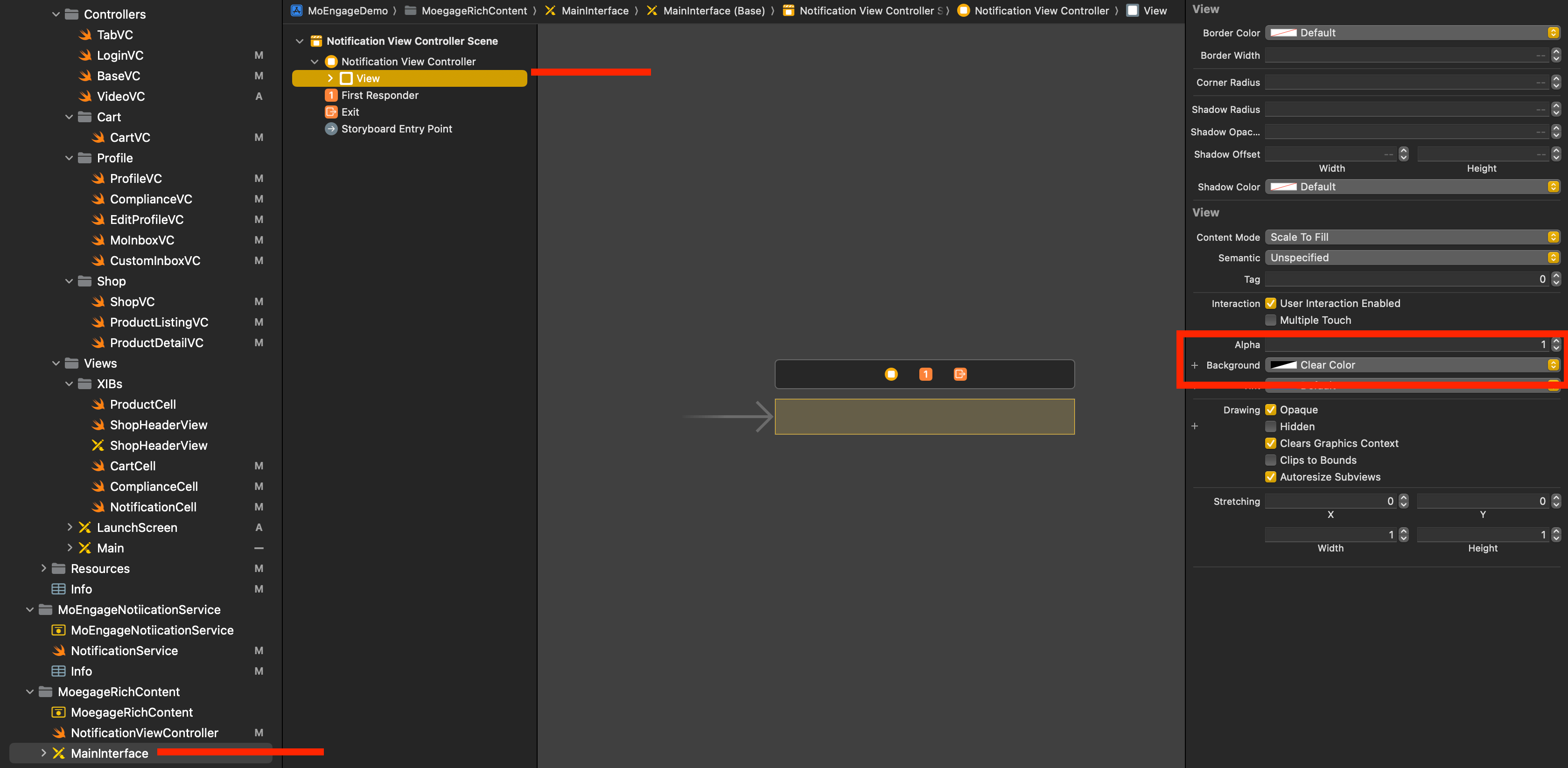
4. Select **MainInterface.storyboard** in the Content extension, remove the default label, and set the background color of the View to clear.
2. *Integrate the MORichNotification Framework into the Notification Content Extension Target.*
* In your podfile, add the Notification Content Extension as a separate target and install the **MORichNotification** framework.
```swift Swift theme={null}
target 'MoEngageDemo' do
use\_frameworks!
pod 'MoEngage-iOS-SDK'
end
target 'MoEngageNotificationService' do
use\_frameworks! #use use\_frameworks only if included in main target as in above scenario
pod 'MoEngageRichNotification'
end
target 'MoegageRichContent" do
use\_frameworks! #use use\_frameworks only if included in main target as in above scenario
pod 'MoEngageRichNotification'
end
```
3. Code changes in **NotificationViewController.swift** file.
```swift Swift theme={null}
import UIKit
import UserNotifications
import UserNotificationsUI
import MoEngageRichNotification
class NotificationViewController: UIViewController, UNNotificationContentExtension {
@IBOutlet var label: UILabel?
override func viewDidLoad() {
super.viewDidLoad()
MoEngageSDKRichNotification.setAppGroupID("group.com.XXXXXXXXXXXXXXXX")
}
func didReceive(_ notification: UNNotification) {
if #available(iOSApplicationExtension 12.0, *) {
MoEngageSDKRichNotification.addPushTemplate(toController: self, withNotification: notification)
} else {
// Fallback on earlier versions
}
}
}
```
4. Select **MainInterface.storyboard** in the Content extension, remove the default label, and set the background color of the View to clear.
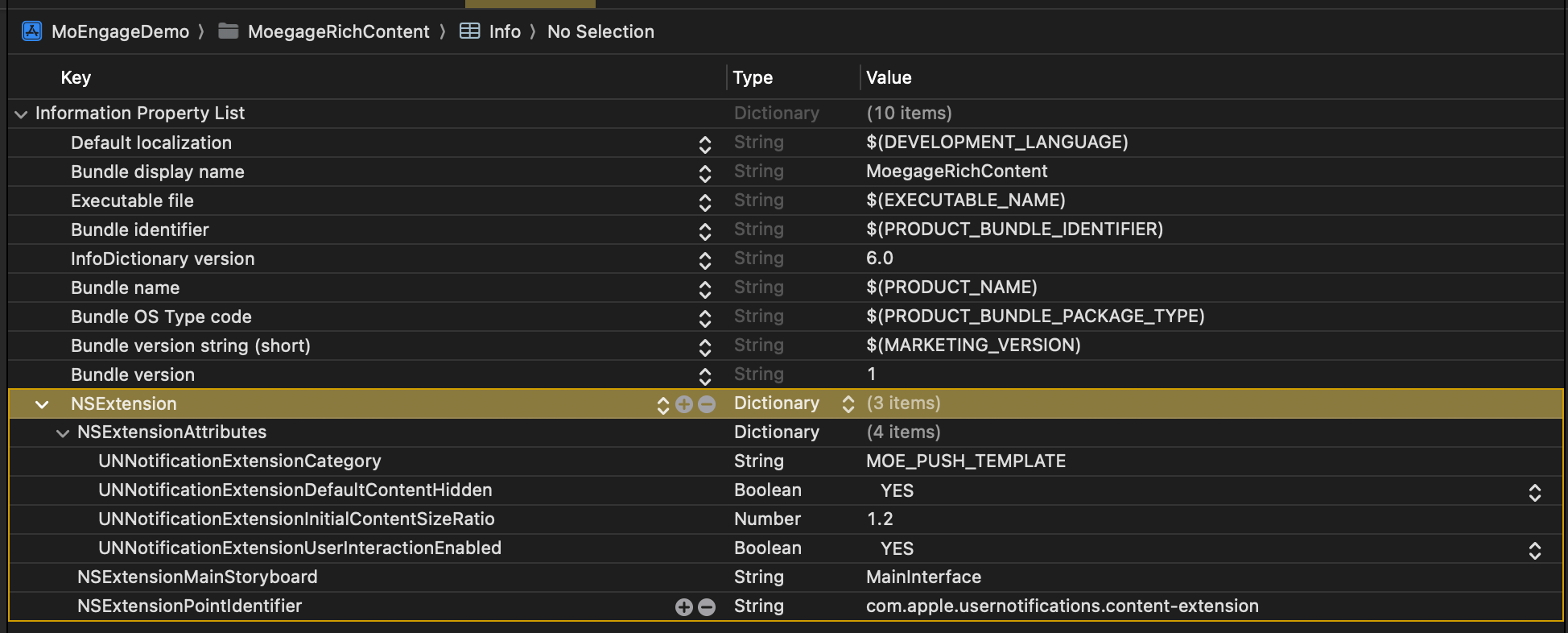
 5. Info.plist changes:
```swift Swift theme={null}
NSExtensionAttributes
UNNotificationExtensionCategory
MOE_PUSH_TEMPLATE
UNNotificationExtensionDefaultContentHidden
UNNotificationExtensionInitialContentSizeRatio
1.2
UNNotificationExtensionUserInteractionEnabled
```
5. Info.plist changes:
```swift Swift theme={null}
NSExtensionAttributes
UNNotificationExtensionCategory
MOE_PUSH_TEMPLATE
UNNotificationExtensionDefaultContentHidden
UNNotificationExtensionInitialContentSizeRatio
1.2
UNNotificationExtensionUserInteractionEnabled
```
 6. *Check Build Phases in Main App Target.*
* In Embed App Extensions/Embed Foundation Extensions, ensure that **Copy only when installing** is not selected.
6. *Check Build Phases in Main App Target.*
* In Embed App Extensions/Embed Foundation Extensions, ensure that **Copy only when installing** is not selected. 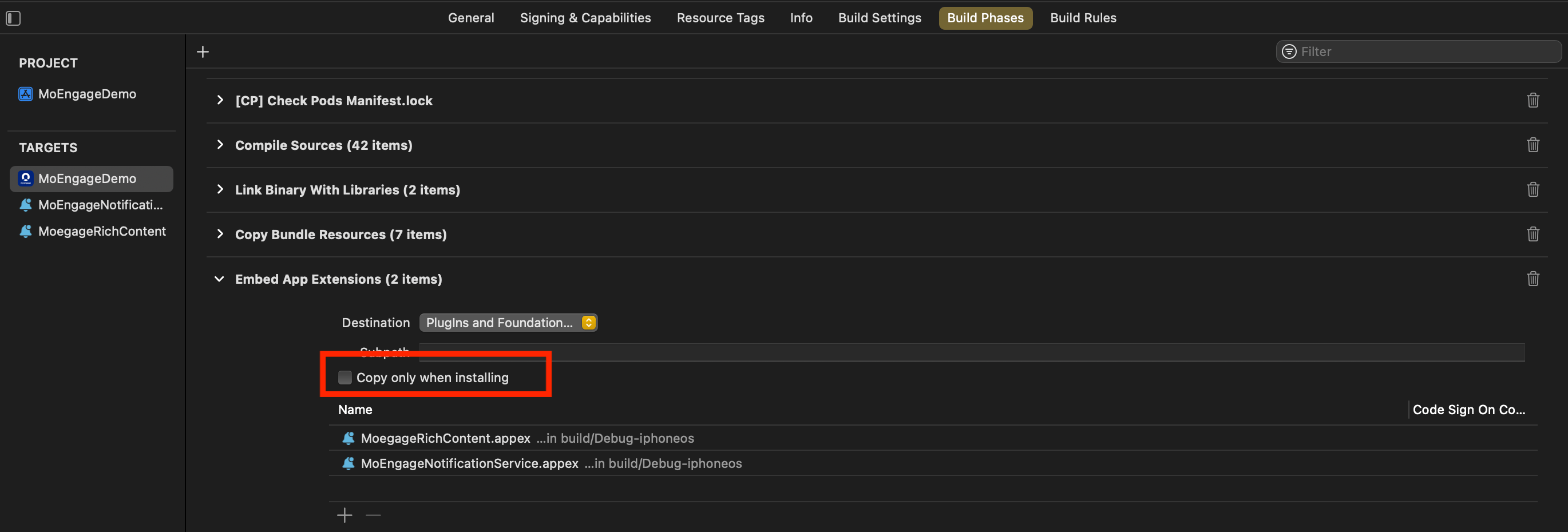 7. *Ensure Consistent appGroupId Across Configurations.*
* Verify that the **appGroupId** is consistent across all schemes and configurations (for example, Debug/Release/QA/UAT) in the project.
8. *Align Build Configuration.*
* When running or archiving the project, make sure that the Build Configuration for the Main Target, Notification Service Extension, and Notification Content Extension Target points to the same scheme/configuration.
7. *Ensure Consistent appGroupId Across Configurations.*
* Verify that the **appGroupId** is consistent across all schemes and configurations (for example, Debug/Release/QA/UAT) in the project.
8. *Align Build Configuration.*
* When running or archiving the project, make sure that the Build Configuration for the Main Target, Notification Service Extension, and Notification Content Extension Target points to the same scheme/configuration.